How to Read a Turnitin Similarity Report in 2026

A Turnitin similarity report has three parts that matter: the score, the list of matches, and the sources behind them. Read the score as a shortcut to the sources, not a verdict. Below is the order to read it in.
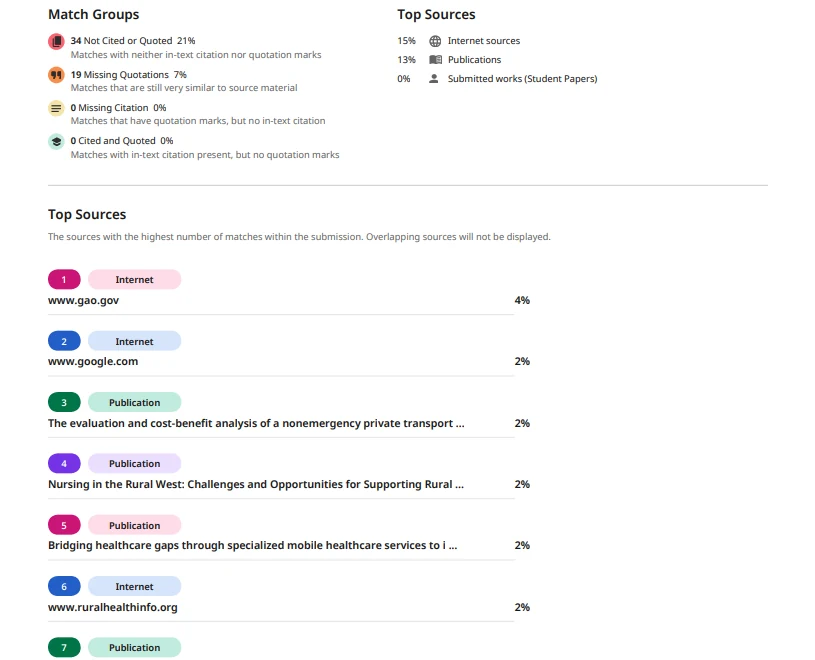
Start with the score, then leave it
The overall percentage tells you how much of your text matched documents in Turnitin's database. It does not tell you whether you cited those documents correctly, or whether you copied them on purpose. Turnitin states there is no acceptable or perfect score.
So read the number once and move on. The list explains the number; the number alone explains nothing.
Read the match list line by line
Each row in the sources list is one document your writing overlaps with. The percentage next to a source shows how much of your paper that one source covers. Open a source and Turnitin highlights the matching text in your paper.
Match Groups label the matches as cited or not cited. A not cited match means Turnitin found a quoted or paraphrased passage with no citation nearby. That is the line to read first.
- Not cited: check whether you used the text without a reference.
- Cited: the reference exists, but the phrasing may still sit too close to the source.
- Small matches: short common phrases that usually need no change.
Open the highlighted text
Click a match and the report jumps to the sentence in your document. Compare your sentence with the source and ask two questions: is this idea mine, and is this wording mine.
If the idea belongs to someone else, it needs a citation. If the wording follows the source too closely, rewrite the sentence in your own structure. A citation does not excuse copied phrasing.
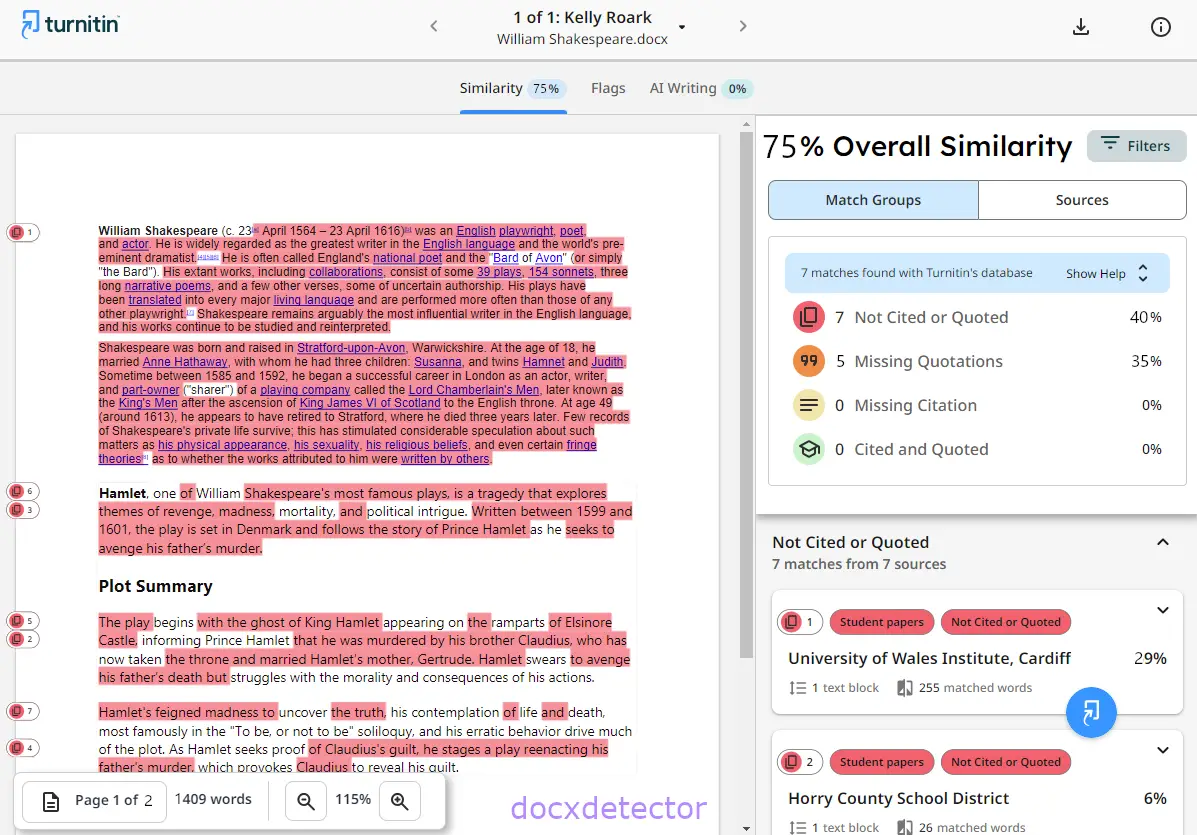
Check the filters before you react
The Filters and Settings panel can exclude quotes, the bibliography, and small matches. Switching these on gives a cleaner number that reflects your own prose. Many departments do not accept filtered scores, so confirm your institution's rule first.
You can read more about that choice in excluding quotes and the bibliography.
Know what the score cannot tell you
The similarity score says nothing about AI writing. That comes from a separate AI report with its own percentage, and the two numbers do not influence each other.
If a number looks wrong, the labels around it usually explain why. Our guide to Turnitin report flags and numbers covers those labels one by one.
Use the report as an edit list
Work from the largest match to the smallest, and fix one source at a time. Re run the check after each round so you can see which change removed which match.
Keep a copy of the report that matches your final file. If a marker sees a different score later, that copy explains the gap.
Reading the report once is not enough. Open it again after you edit, because a rewrite can create new matches in unexpected places. Save your clean version before you upload the final file.
FAQ
Is a 20% similarity score bad?
Not on its own. Twenty percent could be a properly cited quotation or a copied paragraph, and only the match list shows which one.
Why does one source show a high percentage?
A single high match usually means a long passage overlaps with one document. Open it and check whether the passage is quoted, cited, or neither.
Should I remove every match before I submit?
No. Citations and direct quotes are supposed to match. Remove matches only where you copied wording you did not need.
Check your paper before you submit — you get a similarity score and an AI score in one report.